
The parent assistant inside your Linways portal
Parents ask about attendance, marks, results, fees and events in their own words. Orbit answers with your college's own figures from Linways, by text or by voice, in the parent's language.
The demo runs on sample data. Every figure on screen comes from Linways, never from the assistant.
Right where parents already are
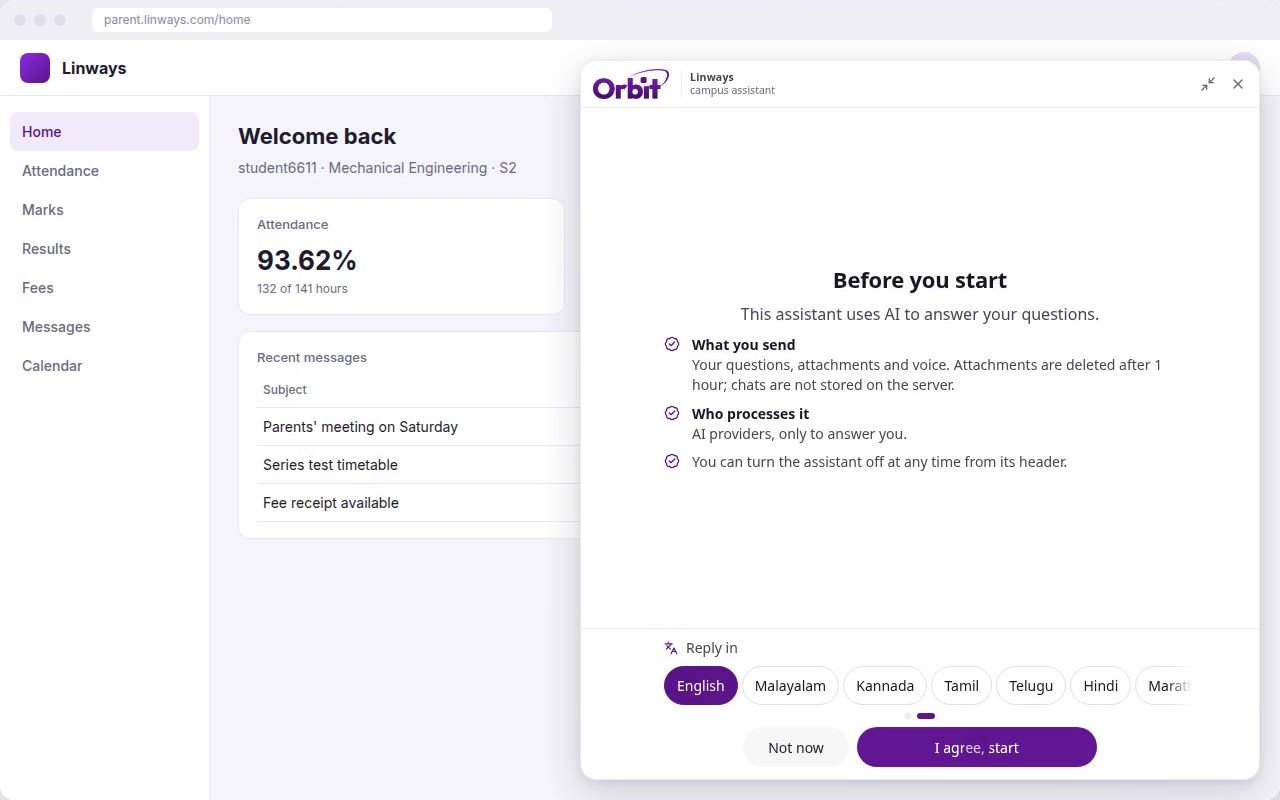
Orbit lives in the corner of the Linways parent portal. Parents open it with one tap, and the first time, a short notice explains what it does and how their child's data is used. They agree once and can switch it off any time.
- No app to install. It opens inside the portal parents already use.
- Signed in already. It uses the parent's portal login, so it only sees their own child.
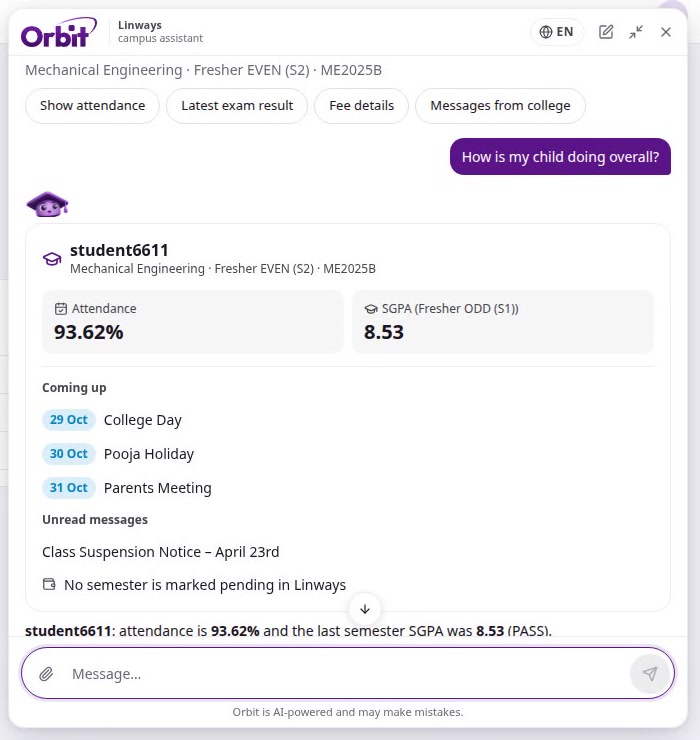
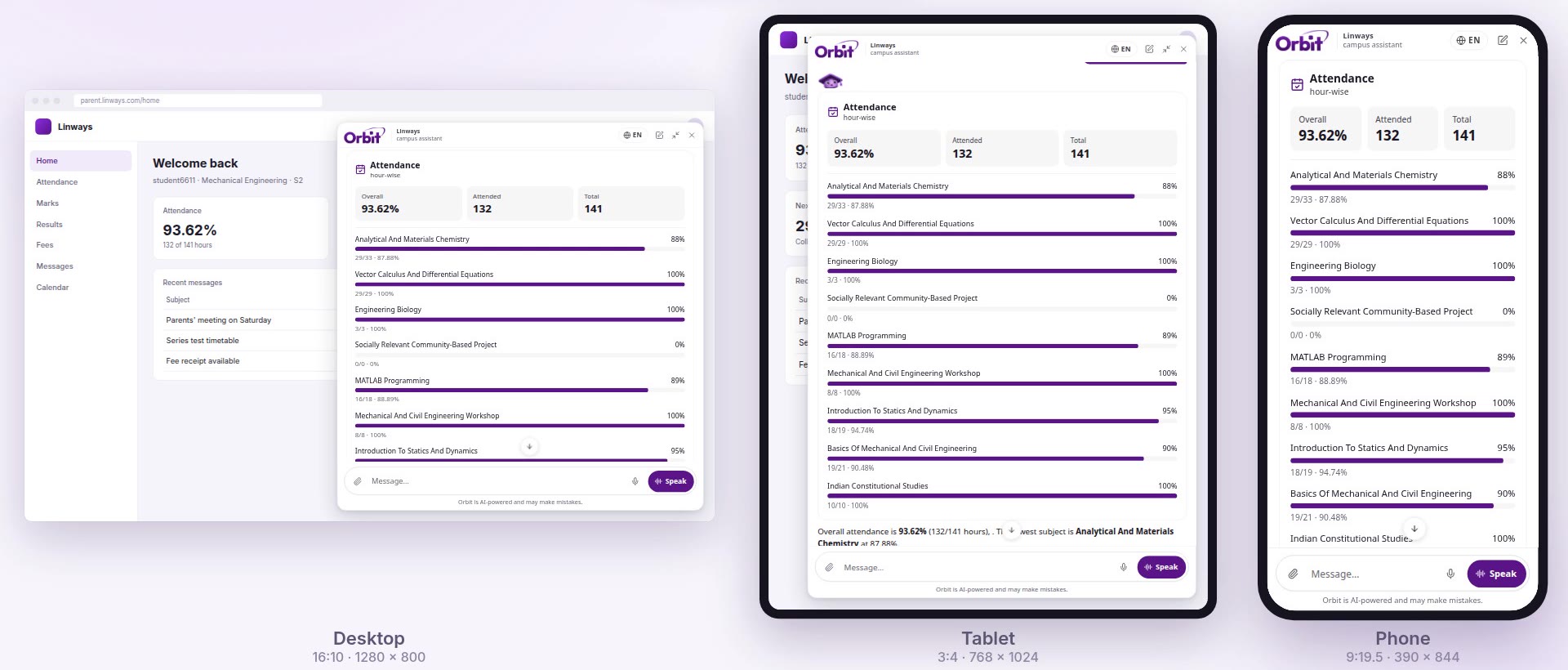
- Answers as cards. Attendance bars, mark tables and event lists build in as the answer arrives.
What parents can ask
Pick a question to see Orbit's answer, exactly as it appears in the portal.
Or just talk to it
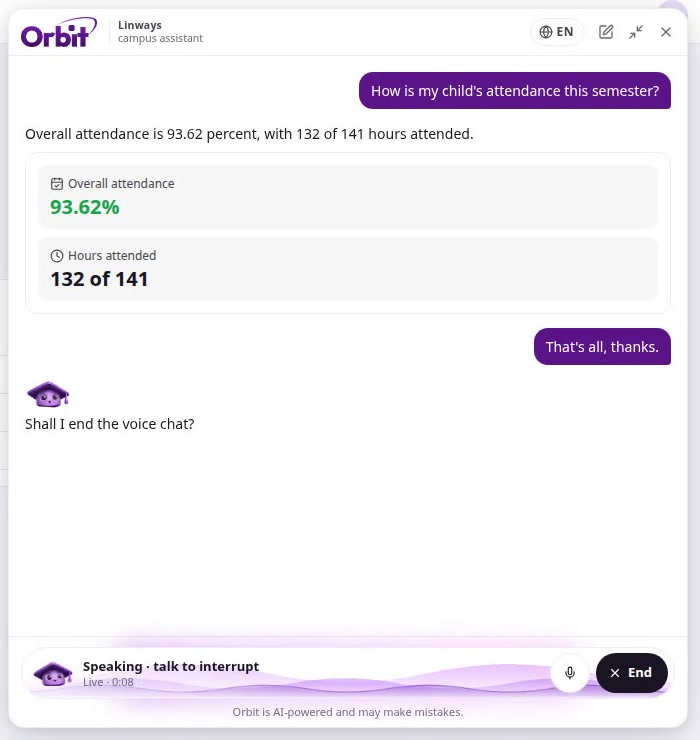
Some parents would rather speak than type. With live voice, they ask out loud and Orbit answers out loud, while its words and the same cards appear on screen.
When they're done, they say so. Orbit checks with them before it ends the call.
In the language parents speak at home
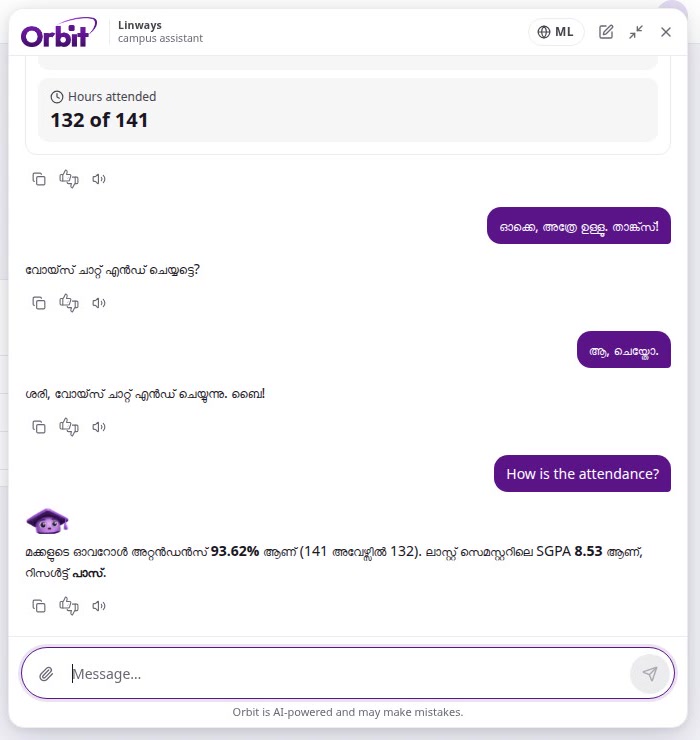
Parents choose the reply language once and can change it any time. Orbit then answers in that language, by text and by voice.
- English
- മലയാളം
- ಕನ್ನಡ
- தமிழ்
- తెలుగు
- हिन्दी
- मराठी
- বাংলা
- ગુજરાતી
- ਪੰਜਾਬੀ
- ଓଡ଼ିଆ
- اردو
Built to be trusted with a child's records
- Figures come only from Linways
- Attendance, marks, results and fees are shown exactly as the college records them. Orbit doesn't calculate, guess or label them.
- Each parent sees only their own child
- Orbit works with the parent's portal login and can see only what the portal already shows that parent.
- Chats aren't kept
- Chats are not stored on the server. Attachments are deleted after one hour.
- Parents are in control
- A clear notice before first use, one agreement, and an off switch in the assistant's header.
- It stays on college matters
- General questions, homework and photos of people are politely declined, so it can't be used for anything else.
On every screen parents use
A roomy panel on a desktop, a comfortable one on a tablet, and the full screen on a phone. Light and dark, matching the portal.
Questions colleges ask
Where does Orbit get its answers?
From your college's Linways records, the same data the parent portal shows. Orbit only explains and presents it; every figure comes from Linways.
Do parents need a new app or account?
No. Orbit opens inside the Linways parent portal and uses the parent's existing login.
Which languages does it support?
Parents can pick English, Malayalam, Kannada, Tamil, Telugu, Hindi, Marathi, Bengali, Gujarati, Punjabi, Odia or Urdu as the reply language.
What happens to what parents type or upload?
Chats are not stored on the server, and attachments are deleted after one hour. Parents see this in a notice before they start.
Can parents ask about anything?
No. Orbit answers only about the child's college life: attendance, marks, results, classes, exams, fees, events, and messages from the college. Anything else is politely declined.
Can parents turn it off?
Yes, at any time, from the assistant's header.

Bring Orbit to your parents
See it working on your own college's portal. The Linways team will set up a walkthrough.
